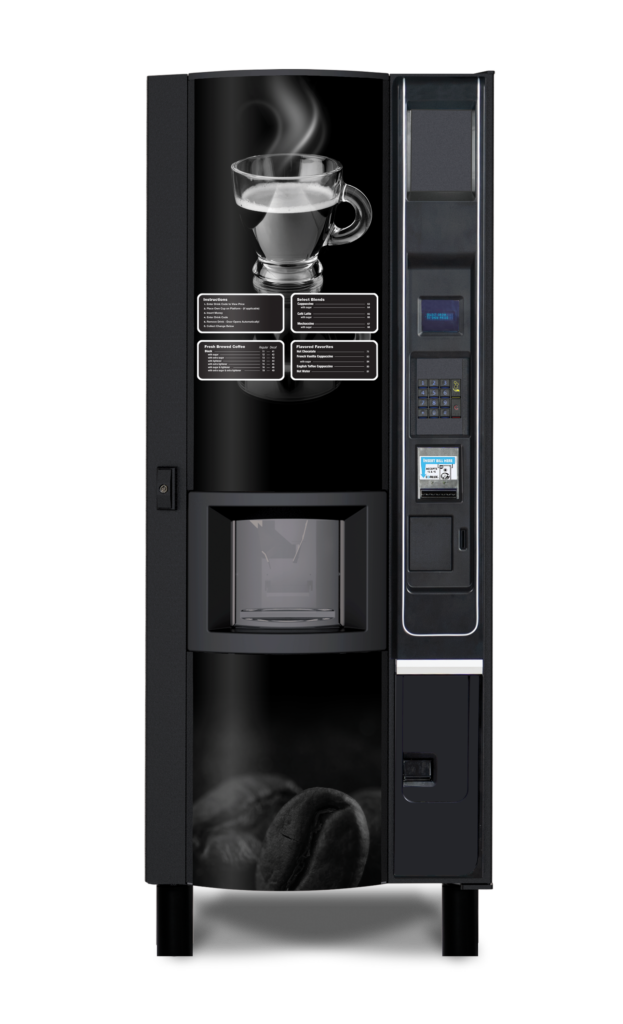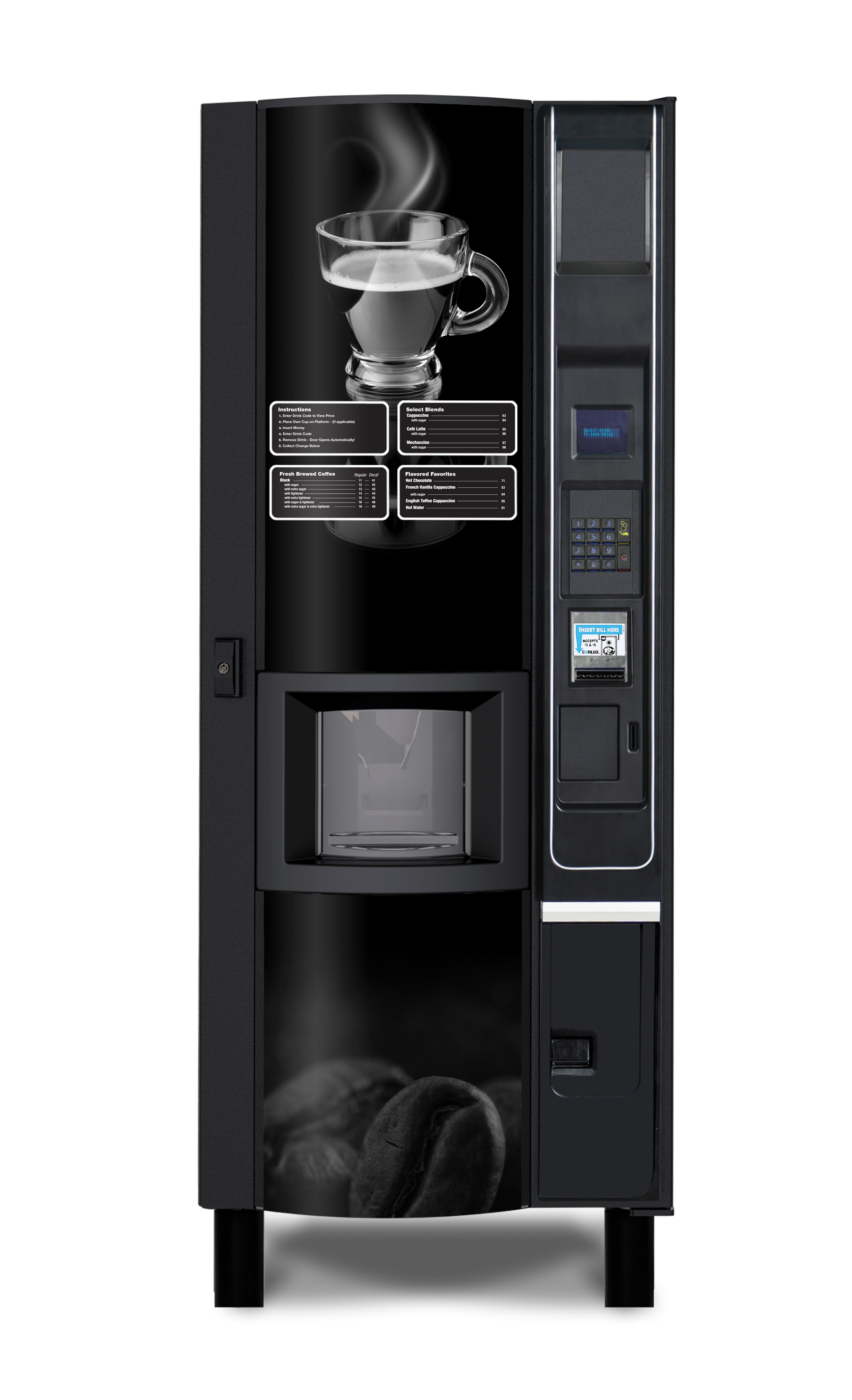
|
HOT BEVERAGE
Vending
machine
Service Manual
Models:
3205 Fresh Brew
3206 Freeze Dry
|
|
|
|
INTRODUCTION
|
|
|
|
1.
The information contained in this service
manual is applicable to the Hot Beverage Vending Machine. The
Hot Beverage Vending Machine line consists of two types of coin-operated,
microprocessor controlled, Hot Beverage Vending Machines that dispense a
range of hot beverages in response to keypad selections.
2.
Two versions of each model are available:
4
Freeze-dried (INST) - Freeze-dried Coffee and
Tea
4
Fresh Brew (SFB) - Fresh Brew Coffee
3.
This manual uses the SFB version as the basis
for examples. Where significant differences between versions exist this will
be highlighted in the main body of the document. Due to customer
requirements, however, some features may vary from those described, e.g.
extras fitted, variations in programming etc.
4.
Cups from a cup drop mechanism are dispensed
to contain the beverages.
5.
Selections are made on a 12 button keypad and
an LCD display panel indicates status and beverage selection information.
6.
The status of the machine may be monitored and
the configuration altered by accessing a menu of program options using both
internal and external keypads. A number of sub-options are included under
each option, the settings of which can be altered.
7.
A feature of the Hot Beverage Vending Machine
is the mobile dispense head which moves to a parked position away from the
cup port after each beverage is vended, preventing the possibility of any
residue from the previous delivery cycle dripping into the next one.
8.
Hot Beverage Vending machines require a
single-phase 120V electrical supply from a 12A outlet, and a cold water
supply. These services connect to the machine through the rear of the
cabinet.
9.
Maintenance of the coffee machine must be
undertaken only by personnel who are authorized and suitably
qualified.
10. The
contents of this publication are presented for informational purposes only,
and while every effort has been made to ensure their accuracy, they are not
to be construed as warranties or guarantees, express or implied, regarding
the products or services described herein or their use or applicability. The
manufacturer reserves the right to modify the designs or specifications of
such products at any time without notice.
|
|
|
|
SAFETY
WARNINGS
|
|
|
- DISCONNECT / UNPLUG POWER TO THE MACHINE BEFORE SERVICING.
Lethal voltages are exposed when any panel inside the cabinet is removed
if power is supplied to the on/off switch.
- Installation and maintenance of the
Hot Beverage Vending Machine is to be undertaken only by trained
personnel who are fully aware of the dangers involved and who
have taken adequate precautions.
- The Hot Beverage Vending Machine must be grounded (earthed). Do
not tamper, modify or remove the ground pin from the power plug. Should
the power cord or plug become damaged, a trained person from an approved
service agent must perform the replacement using only factory approved
parts. Do not ground (earth) the machine to the water supply pipe.
- Keep clear of the Brewer
Unit when it is indexing.
- The Hot Beverage Vending Machine is
a heavy item. Ensure that sufficient personnel are available for lifting
and transporting the machine. Use proper lifting procedures and
equipment.
- The water in the heater tank and
the tank itself are hot enough to scald or burn even some time after the
machine has been switched off. The water tank must be drained, filled
with cold water and drained again before any attempt is made to handle
it or any of its associated parts.
- The Controller Board is fitted with
a lithium battery. Abuse of this type of battery can lead to
overheating, venting, explosion, release of potentially hazardous
materials and spontaneous ignition. The lithium battery must not be charged by, or
connected to, any other source of power. The battery must not be short-circuited or
forced to discharge its stored energy. The battery must not be subjected to physical damage or overheating. ONLY
the Trained Technician should attempt controller board replacement!
- Care must be taken to protect the Hot
Beverage Vending Machine from frost. Do not attempt to operate the
machine if it becomes frozen. Contact the nearest service agent
immediately. Do not restore the machine to operation until it has
been checked and approved for use by the service agent.
- Due to the risk of being scalded by hot beverages, young
children, the aged and the infirm should not be allowed to operate the
Hot Beverage Vending Machine unsupervised.
|
|
|
|
IMPORTANT: Please refer to the safety manual (p/n
4206816) for additional safety information.
|
|
|
|
INSTALLATION
|
|
|
WARNING: Disconnect or unplug power to the machine
before servicing.
1.
Servicing personnel must be familiar with the
SAFETY WARNINGS listed in this manual and the Safety Manual (P/N 4206816)
before undertaking any installation or maintenance procedure on the Hot Beverage
Vending Machine. Any procedure which is found to be impractical, inadequate
or inaccurate should be reported to the Management for further investigation.
2.
The information given in this section covers
installation and maintenance procedures for the Hot Beverage Vending Machine.
Only authorized personnel who have knowledge or experience with the
equipment, and using only the manufacturer's approved parts should carry out
these procedures.
3.
The requirements of proper hygiene in respect
of food products must be ensured at every level of contact with the Hot
Beverage Vending Machine and the ingredients associated with it.
IMPORTANT: You
are required to be aware of and adhere to all Federal, State, and Local laws
regarding food handling and storage. NOTE:
DO NOT use non-food safe lubricants or cleaners.
|
|
|
|
SET-UP
REQUIREMENTS
|
|
|
- 110V, 60Hz, 12A fused
- 240V, 50Hz, 13A fused
The electrical
outlet and supply circuit must be dedicated and isolated before connecting power
to the machine. The electrical outlet must be within 6 ft (2 m) of the
machine. Preferably, the switched outlet should be located behind the machine
to prevent accidental damage or misuse.
|
|
|
|
The main water
supply must have 15-116 psi pressure. The water outlet must have a shutoff
valve so that the water supply to the merchandiser may be turned off during
servicing. The one-piece water supply hose with ˝ inch female connector must
be long enough to reach the machine. The water outlet should be located
behind the machine to prevent misuse.
|
|
|
WARNING:
The Hot Beverage Vending Machine is a
heavy item. Ensure that sufficient personnel are available for lifting and
transporting the machine. Use proper lifting procedures and equipment.
The Hot Beverage Vending Machine must be located close to
the appropriate electrical and water outlets.
There must be a minimum of 4 inches (100mm) clearance between the rear
of the cabinet and the wall to allow adequate ventilation. See Figure 4a. If placing
in a corner location, there must be at least 16 inches (406mm) of space to
the right hand wall to allow the door to open properly.
|
|
|
|
Figure 4a.
Distance From Wall
|
|
|
|
The Hot Beverage Vending Machine must be level for proper
operation. Using a level as a guide turn the machine's leg levelers as needed
until all levelers are touching the floor. If it is properly leveled, the
vending machine should not "rock" or "teeter" on any of the levelers. When the machine is level, the door can be
opened to any position and not swing either way. Try the door at various open
positions before deciding that the machine is leveled.
Before connecting the hose to the machine, flush the water
supply system via the shutoff valve to remove any impurities which may have
accumulated in the supply pipe or water hose.
The vending machine's water inlet - a standard 1/2 inch
(13mm) male water hose connector - is located on the back of the machine.
Remove the plastic protective cap by unscrewing it counter-clockwise. See Figure 4b.
Connect the water supply hose to machine water inlet and
ensure that all fittings are tight. Turn on the water supply at the shutoff
valve and check for leaks both outside and inside of the machine.
|
|
|
|
Figure 4b. Power
Cord & Water Inlet
|
|
|
|
4
Plug the Hot Beverage Vending Machine power
cord into a 110V, 60Hz, 12A (240V, 50Hz, 13A) switch supply socket. With the
plug fitted to the socket, ensure that the cable is not stretched, distorted
or hampered by any object.
|
|
|
|
It is essential that the technician
responsible for installing and commissioning the machine ensures the
following:
1.
All electrical and water supplies are
correctly and safely connected and that the water heater overflow pipe is not
trapped or pinched (remove canisters to access and remove rear panel to check
status of overflow pipe.)
2.
All covers, panels and access doors are in
place and secured, and the machine is in a SAFE condition.
3.
The Operator is familiar with the SAFETY
PRECAUTIONS for the machine.
4.
The Operator appreciates the importance of
hygiene and regular cleaning of the vending machine.
With water and
electricity sources connected to the machine, check the water heater
operation as follows:
1.
Press
vending machine on/off switch (upper left side of interior back wall) to the
ON position. Water will flow into the water tank. Wait approx. 1 minute and
the water will shut off (safety feature). Then turn the power switch OFF,
wait a few seconds and turn the power switch back ON. Water will continue to
fill the tank. When water reaches the probe level, the heater will turn on as
indicated by the heater indicator light (to the right of the on/off switch).
There should be no water overflow into the waste basket.
2.
Ensure that the waste level probe is
positioned in the waste basket.
3. Press the vending machine on/off switch
to the OFF position.
NOTE: Water tank
MUST be allowed to preheat for 15 to 20 minutes before filling coin changer
or performing test vends because these will be automatically disabled if
water temperature does not meet standard.
|
|
|
|
FILL
PRODUCT CANISTERS
|
|
|
|
Warning: Fill
product canisters with powdered ingredients only. Do not use liquid
ingredients.
|
|
|
|
1. Rotate
the product chute so that it points up (loading position). See Figure 5b.
2. When
filling the canisters, hold the top and bottom of the canister and slowly
lift it up so that the locator peg clears the peg hole. Figure 5c. Slide the canister forward until it is out of the
ingredient motor shaft. Figure 5d.
3. Place
canister on a sheet of paper or on an easily cleaned surface.
4. Remove
lid from the canister. Figure 5e.
5. Open
product bag that matches the name on the Canister Label (where applicable)
according to the instructions on the bag.
6. Slowly
pour the product into the canister until the canister is almost full. Figure 5f.
- Product must be loose for proper
dispensing.
- DO NOT tap the sides of the
canister.
- DO NOT compress or compact
product into the canister.
- Leave a gap from
the top of the product to the lip of the canister. Figure 5g.
7. Replace
canister lid. Figure 5e.
8. Review
the canister arrangement as shown in Figure 5a. Hold the canister carefully at the bottom and top
to prevent spilling. Gently place the filled canister back on the product
shelf. Figure 5d.
9. Line
up the hollow shaft in the back of the canister with the ingredient motor
shaft. See Figure 5d.
10. Slowly
slide the canister toward and over motor shaft until locator peg falls inside
the hole on the product shelf. See Figure 5c.
Rotate the product chute so that it points down (dispense position) to the
whipper bowl. See Figure 5b.
11. Repeat
above steps for other canisters.
|
|
|
|
Figure 5a.
Canister Lineup
|
|
|
|
Figure 5b.
Product Chute
|
|
|
|
Figure 5c. Locator Peg
|
|
|
|
Figure 5d. Motor
Shaft
|
|
|
|
Figure 5e.
Canister Lid
|
|
|
|
Figure 5f. Fill
Canister
|
|
|
|
Figure 5g. Do Not Pack
|
|
|
|
CHANGE
MENU SELECTION LABELS
|
|
|
|
1. Remove
and save the wing nut located on the right side below the cup compartment (as
viewed from behind the door). See Figure 6a.
2. Open
the cup compartment door. Remove and save the 3 wing nuts located on the
right side of the cup compartment. See Figure 6b.
3. Loosen
Retaining Strip on the left side of the Top Sign Front (on the front of
cabinet door). Remove the Retaining Strip and Top Sign Front assembly. See Figure 6c. (This is most
easily done by applying outward pressure on the wing nut screws on the inside
of the door.)
4. Place
the Top Sign Front on a clean, non-abrasive surface.
Locate the menu selection label behind the Top Sign Front.
See Figure 6d. Carefully slide the menu selection label out of its
pocket.
5. Insert
the new menu selection label through the slots. Check the
front of the Top Sign Front to make sure that the menu selection labels are
correctly aligned.
6. Insert
the right edge of the Top Sign Front into the slot of the right side
Retaining Strip. See Figure 6c.
7. Slip
the left side Retaining Strip over the left edge of the Top Sign Front. Push
the Retaining Strip back into place. See Figure 6c. (To
accommodate the rounded front design, carefully bow the left edge of the
assembly to the right until you are able to press the three retaining screws
back into position.)
8. Reinstall
and tighten the wing nuts saved from steps 1 and 2. See Figure 6a and Figure 6b.
NOTE: These steps change only the
beverage label. Only the Trained Technician may change beverage type or
content.
|
|
|
|
Figure 6a. Bottom
Wing Nut
|
|
|
|
Figure 6b. Inside Wing Nuts
|
|
|
|
Figure 6c. Remove
Top Sign Front
|
|
|
|
Figure 6d. Menu
Selection Label
|
|
|
|
SET
SELECTION PRICE
|
|
|
|
The following procedure sets the price for the three (3)
item types: filled Regular Cup, Cup Only and a filled Large Cup. For
additional information regarding Set
Pricing Modes and Change Prices,
please refer to the programming
section of this manual.
|
|
|
|
STEP
|
DISPLAY
|
|
1. On internal keypad, press 5 PROG.
|
PLEASE ENTER
ACCESS CODE
|
|
2. On external keypad, enter code 1111
|
SET PRICING MODE
|
|
3. Press 2 or
8.
|
CHANGE PRICES
|
|
4. Press 0. ("NORMAL"
indicates "REGULAR" size)
|
NORMAL PRICES
|
|
5. Press 0.
First selection price will display.
|
COFEE
Price=$0.40
|
|
6. Press 2 or
8 to scroll to other selection
price settings.
|
COFEE
Price=$0.40
|
|
7. Press 0 to
select a selection price to change.
|
Price=$0.00
|
|
8. Press 4
(move curser left) or 6 (move
cursor right) or press 2
(increase value) or press 8
(decrease value).
|
Price=$0.00
|
|
9. Press 0 to
accept the price set for Regular
Filled Cup.
|
COFFEE
Price=$0.00
|
|
10. Repeat steps 6
thru 9 to set price for other
products.
|
COFFEE
Price=$0.00
|
|
11. Press #
(ESCAPE).
|
NORMAL PRICES
|
|
12. Press 8 to
view Empty Cup pricing.
|
CUP PRICE
|
|
13. Press 0.
|
CUP
Price=$0.00
|
|
14. Press 0.
|
Price=$0.00
|
|
15. Press 0
to accept Cup Price.
(Leave price at default value-do not change)
|
CUP PRICE
|
|
16. Press 8 to
view Large Cup pricing.
|
LARGE PRICE
|
|
17. Press 0.
|
COFFEE
Price=$0.65
|
|
18. Press 0
to begin changing the price of the first selection (OR press 8 or 2 to scroll to another Large Cup
selection.)
|
COFFEE
Price=$0.65
|
|
19. Press 4
(move cursor left) or press 6
(move cursor right) or press 2
(increase value) or press 8
(decrease value).
|
Price=$0.00
COFFEE
Price=$0.00
|
|
20. Press 0
to accept new Large Cup price.
|
Price=$0.00
COFFEE
Price=$0.00
|
|
21. To scroll to other
Large Cup products press 2
or 8
|
|
|
21. Repeat steps 20 thru 23 to set price of other Large Cup products.
|
|
|
22. Press #
three times to exit the programming mode.
|
SELECT DRINK
FROM MENU
|
|
|
|
|
CUP SIZE
ADJUSTMENT
|
|
|
|
IMPORTANT:
Your Hot Beverage vending machine has been factory-set for use of 8.25 oz.
PAPER hot beverage cups. The vending machine can also be set up to use 7, 9,
10, or 12 oz. cups. If you are not using 8.25 oz. cups, you must readjust the
machine before use. This is a 2-part procedure. Both Cup Size Adjustment and Adjusting Cup Dispenser Opening must be
accomplished.
|
|
|
|
Action
|
Display
|
|
1. Press Program on the Internal Keypad
|
Enter Code
|
|
2. Enter the Manager Code on the customer
keypad
|
Ingredient Times
|
|
3. Using 2 or 8 curser to Config MC
|
|
|
4. Press 0
|
7 oz.
|
|
5. Using 2 or 8, curser to the desired cup
size
|
(7, 8.25, 9, 10,
or 12 oz.)
|
|
6. Press 0 to confirm selection
|
|
|
7. Press # to exit programming mode
|
|
|
8. Proceed to Adjusting Cup Dispenser Opening instructions (next page)
|
|
|
|
|
|
ADJUSTING CUP DISPENSER OPENING
|
|
|
|
The cup mechanism has been factory adjusted for an 8.25 oz. paper hot
beverage cup. Follow the instructions below to adjust the cup (diameter) size
if necessary.
|
|
|
|
1. Open
the cup compartment door by sliding its plastic latch to the right.
2. Take
a cup from the stack of cups that will be used in the vending machine and
place the cup in the cup dispenser ring.
3. While
facing the back of the door, find the cup dispenser adjustment screw located
on the right side of the cup dispenser. Use a Phillips screwdriver to loosen
the screw. DO NOT remove the
screw.
3a. Adjust
the cup mechanism back and forth so that the cup lip rests on top of the
circular cams of the cup dispenser mechanism.
3b. Push
or tap the cup from the bottom end so that it moves up and down freely. If it
does not move freely or if it falls through the mechanism when tapped go back
to step 3a.
3c. When
steps 3a and 3b are satisfied then tighten the screw.
4. Place
a stack of cups to the left of the cup ring. On the internal keypad press
the Cup Test button. The entire
cup stack should advance and fall into the cup ring. If a cup drops
completely through the mechanism, the mechanism still needs adjustment—return
to step 3a.
|
|
|
|
Figure 8a. Cup Compartment Latch
|
|
|
|
Figure 8b. Cup Ring
|
|
|
|
Figure 8c. Cup
Diameter Adjustment
|
|
|
|
Figure 8d. Cup
Position In Mechanism
|
|
|
|
FLIP CUP
COMPARTMENT
|
|
|
|
1. Check
that the top and bottom spirals are aligned the same and have room for three
(3) stacks of cups. See Figure 9a.
2. The
cup compartment can have a total of five (5) cup stacks. Load the compartment
with cups starting with the first stack in the cup dispenser mechanism
followed by three (3) additional cup stacks. See Figure 9b.
The cup-stacks must be aligned with the top and bottom spirals. Add the fifth
cup stack directly in front of the fourth cup stack and place it tight
against the left side wall of the compartment.
3. Close
and latch the cup compartment door.
4. Find
the internal keypad on the left side of the door (as viewed from
the rear of the door). Press the square marked "CUP TEST". See Figure 9c.
4a. The
cup should be dispensed via the stainless steel cup chute and land squarely on
the platform of the delivery compartment. See Figure 9e.
4b. If
the cup gets stuck at the counter-balance wire, loosen the counterweight and
slide it up to lessen the weight against the cup. See Figure 9d.
Repeat step 4.
|
|
|
|
Figure 9a. Cup Spirals
|
|
|
|
Figure 9b. Cup Stacks
|
|
|
|
Figure 9c. Keypad
Cup Test
|
|
|
|
Figure 9d.
Counterweight
|
|
|
|
Figure 9e.
Delivery Compartment
|
|
|
|
Follow
the instructions below to change the ingredient volume settings.
|
|
|
|
STEP
|
DISPLAY
|
|
1. On internal keypad, press PROG.
|
PLEASE ENTER
ACCESS CODE
|
|
2. On external keypad, enter code 3333 (or current Manager code).
|
INGREDIENT TIMES
|
|
3. Press 0.
|
DRINKS OF SIZE
REGULAR
|
|
4. Press 0.
The first product selection is displayed
|
SET TIMINGS FOR
COFFEE
|
|
5. To scroll to a different product selection
press 2 or 8 repeatedly until
the desired product name is displayed.
|
|
|
6. Press 0.
The first ingredient setting is displayed.
|
OP: Sugar Mod 0%
|
|
7. To scroll to a different ingredient, press 2 or 8 repeatedly.
|
|
8. Press 0.
You are now ready to change the
ingredient percentage value.
|
OP: Sugar Mod
Value=5%
|
|
9. Press 4 (move cursor left) or 6 (move cursor right), or press 2 (increase) or 8 (decrease).
NOTE:
Value can only be changed in 5% increments up to plus or minus 25%.
|
|
10. Press
0 (enter) to accept the revised
setting.
|
OP: Sugar Mod 5%
|
|
11. To modify another ingredient in this product
selection, repeat steps 7
through 10. To modify another
product selection, press # and
repeat steps 5 through 10.
|
|
12. Press # three (3) times to exit the programming mode.
|
SELECT DRINK
FROM MENU
|
|
|
Note: 0% indicates the factory default
value. Returning changed percentages to 0%
will return items to factory default values.
|
|
|
|
FLUSH
HEATER TANK, BOWL & BREWER
|
|
|
|
Figure
10a
|
|
|
|
1. Place
a trash liner (10 Gal) inside the large waste container. Place the waste
container under the heater tank overflow tube and the brewer.
2. Place the
small bucket under the cup dispensing tubes.
1. Go
to the internal keypad, press the square next to FLUSH to clean the whipper bowls.
In a Fresh Brew Vending Machine, also press the square next to FLUSH BREWERS to clean the brewer and filter.
|
|
|
|
1. Turn
off the vending machine Power Switch. Remove the plug from the hot water tank
drain tube which will empty the tank contents into the drain bucket.
2. Replace
the plug into the drain tube. Open the main water valve to the machine. Press vending machine on/off switch to the
ON position. Water will flow into the water tank. Wait approx. 1 minute and the
water will shut off (safety feature). Then turn the power switch OFF, wait a
few seconds and turn the power switch back ON. Water will continue to fill
the tank. When water reaches the probe level, the heater will turn on as
indicated by the heater indicator light.
3. Water
tank MUST be allowed to preheat for 15 to 20 minutes before performing test
vends or filling coin changer because these are disabled if the water is not
hot enough to meet standards.
|
|
|
|
DRIP
CATCHER
|
|
|
|
Place a cup on the Drip Catcher Holder to prevent any
remaining liquid in the base of the cup station from dripping onto the floor
when the door is opened during servicing.
1. The
Drip Catcher is located on the inside of the door below the Cup Station.
2. Place
a small cup on the Drip Catcher Cup Holder.
3. IMPORTANT: Place the Overflow Bucket Sensor inside the
drain bucket before closing the door.
|
|
|
|
Figure 12a. Drip
Catcher
|
|
|
|
Figure 12b. Waste
Bucket Sensor
|
|
|
|
A schedule sheet for cleaning and maintenance should be
kept up to date at all times. A schedule sheet clip has been provided for
your convenience. It can be found beneath the internal keypad. The space is
large enough for an 8.5x11 sheet.
|
|
|
|
CLEANING
BREWER AND FILTER
|
|
|
|
(Fresh Brew Model only)
|
|
1. Disconnect hose from bottom front of
brewer
|
|
2. Slip cover plate up and away from brewer
assembly.
|
|
3. Flip up the 2 retaining bars at top right
and bottom right of brewer.
|
|
4. Gently pull filter assembly out and set
aside
|
|
5. Pull the rod which drops down into the
center of the brewer toward the front. It will pop away from the rod
extending out of the brewer back panel and fall into the brewer assembly.
|
|
6. Carefully remove the remaining brewer
assembly by pulling toward you and off its support pins.
|
|
7. Clean or replace brewer and filter
assembly—you do not need to disassemble them further for this.
|
|
8. Replace brewer assembly by sliding onto
its support pins at the top—bottom of assembly will snap into cradle slots.
Be sure that assembly snaps all the way into the slots.
|
|
9. Lift the rod that fell into the brewer at
disassembly back up into place and snap back onto the rod extending from back
panel.
|
|
10. Slide filter assembly back into place using
guide pins at top and bottom, and reposition the 2 retaining bars at the top
right and bottom right of the brewer.
|
|
11. Slip assembly cover back into place and
reattach hose.
|
|
|
|
CLEANING
VENDING MACHINE CABINET
|
|
|
|
Care
should be taken when cleaning the interior of the vending machine as high
temperatures may be present on components and liquids.
Always disconnect the power source before cleaning the vending
machine.
|
|
|
|
Wash
with mild detergent and warm water, rinse and dry thoroughly. Wax
occasionally with a quality car wax. Plastic exterior parts may be cleaned
with a quality plastic cleaner.
Use a
clean bucket and a cleaning solution of mild detergent (that will not leave a
film on the cabinet or its components) and warm or hot water. Adding baking
soda or ammonia in the cleaning solution may help eliminate odors from parts
being sanitized.
When
cleaning areas such as the mixing bowls, cup chute, etc., that come in
contact with the cup or product, use only sanitizers that are approved for
use on food contact surfaces.
The following procedure should
be used each time the vending machine is serviced.
1.
Unplug the vending machine.
2.
Remove the product canisters.
a.
Rotate the product canister spout until it is pointed straight up.
b.
Lift up the front end of the canister (so that the canister pin
clears the shelf pin hole) then pull the canister forward. See Figure 5d.
c.
Set the canisters aside. Clean and refill them prior to replacing
them on the canister shelf. See Step
10.
3.
Clean around the ingredient drive motors and the cup mechanism with
a small brush or with filtered compressed air if available.
4.
Wipe the canister shelves with a clean damp cloth.
5.
Clean the interior of the vending machine including the top and side
walls using a solution of mild detergent and warm water.
6.
Use the hot water from the rinse hose (hanging on the left cabinet
wall) to thoroughly rinse the cleaning solution from all components.
7.
Use the hot water from the rinse hose to rinse all mixing bowls and
hoses thoroughly to remove any residue. (Periodically remove mixing bowls and
clean thoroughly using warm water and detergent.) Rinse bowls thoroughly
before replacing.
9.
Clean the cup station, cup chute, and other areas that the cup might
contact. Clean the cabinet door and door trim panel.
10.
Clean each canister (full or partially filled) in the following
manner:
a. With the canister lid on, place
the lid end of the canister against your chest with the dispensing spout up.
b. Set the canister upside down on
a table with the lid still in place.
c. Pull the spout off of the
canister. Soak the lid in the bucket of cleaning solution while cleaning the
spout with a small brush or piece of clean terry cloth. Rinse the spout with
tap water and dry with a clean towel before re-installing to the canister.
d. Holding the canister upside down
with the lid in place, shake the canister to loosen and aerate the
ingredients.
e. Set the canister right side up
on the table. Remove the lid. Fill the canister with product (ingredient) but
do not pack products tightly into the canister. Do not tap the canister or
slap the canister sides. Replace lid.
f. Place the canister back on the
canister shelf, guiding it into the back shaft and positioning pin as shown
in Figures 5c and 5d. Rotate canister spouts into the
downward position.
11.
Empty the waste bucket and clean. Create an anti-bacterial solution
in the waste bucket using 100 ppm Chlorine solution. The anti-bacterial
solution can be created using two (2) teaspoons of household bleach (5%
Chlorine) mixed with one (1) gallon of tap water to retard bacterial growth.
Apply the anti-bacterial solution to the waste bucket. Do not rinse bucket
after anti-bacterial solution is used. When replacing the waste bucket, make
sure all hoses are in position.
12. Return power to the vending
machine and run at least one flush
cycle. See FLUSH HEATER TANK, BOWL & BREWER instructions.
|
|
|
|
GENERAL
DESCRIPTION
|
|
|
|
Opening the vending machine door via the key operated lock
allows access to its internal components. Equipment inside the Hot Beverage
Vending Machine is arranged in two sections: front and rear. When the vending
machine door is open the Operator has
immediate access to those items which he or she will be controlling or
adjusting (Ingredient Canisters, Cup Compartment, Coin Changer, Waste
Buckets, etc.). The remaining equipment (Water Heater, Valves, Electrical and
electronics components, etc), access to which is limited to the Trained Technician, are located behind
the panel at the rear of the cabinet.
|
|
|
|
The Cup Drop Assembly, Coin Changer, Controller Board and
Cup Station are fitted to the rear of the door. The Customer's keypad is on
the door front panel.
Ingredient canisters are located on a shelf within the
cabinet above the mixing area. An extractor fan removes excessive moisture
from the mixing systems, helping assure that the systems function properly. The
moving dispense head keeps residue from previous dispensing cycles from
dripping into the current dispensing cycle.
Level sensor probes assure that the waste buckets will not
overflow. When a level-sensor probe is activated the water supply is shut off
and the vending machine is rendered inoperable until the waste container is
emptied.
|
|
|
|
Access to the components and equipment in the rear section
of the cabinet (behind the rear panel) is limited to the Trained Technician.
Water for beverages travels through the inlet valve and
into the water heater tank located at the top and back of the cabinet.
Solenoid dispensing valves direct the heated water to the appropriate mixing
bowl. Excessively hot water flowing from the tank activates a high
temperature cut-out switch. When activated the cut-out switch cuts off the
electrical supply to the heater in the tank. The cut-out must then be reset
to reactivate the heater
Level probes located in the cabinet door and waste
container allow the unit's control system to monitor the liquid level in the
waste containers and prevent overflow.
|
|
|
|
Figure 2a.
|
|
|
|
The internal keypad
is used to carry out a number of frequently required vending machine
functions without entering Program mode.
In most cases a single press of the key initiates the
function associated with each button. If a further key press is necessary to
end the action it will be the ESC
(escape) key.
The functions available from the internal keypad are:
a)
ADVANCE
COFFEE BREWER - If a coffee brewer is fitted, pressing this key one time will
force the brewer unit to index to its next position in the cycle. The purpose
of this function is to allow the brewer to be locked prior to a flush cycle
so that cleaning agents can be added if desired.
b)
MDB
MECH DISPENSE COIN - This key provides a method of emptying the change tubes
of an MDB coin mechanism. On pressing the key the external display will
change to:
|
EMPTY TUBE $0.05
á,â ENTER OR ESC
|
The currency value shown will be
that of the lower value coin tube in the mechanism. The function of the EXTERNAL keys will change as
described in Section 3 to allow actions to be performed on either the
internal or external keypad. Pressing ENTER will dispense a coin from the selected
tube. Pressing á
or â
selects the next/previous coin tube. Pressing the ESC (escape) key ends the process.
c)
MDB
MECH FILL TUBES - If an MDB coin changer is fitted this function allows
the change tubes to be filled. On pressing the key the external display will
change to:
|
|
As coins are inserted the value
displayed will reflect the total value of the money inserted. Pressing ESC
(escape) will cause the vending machine to return to normal operation and
zero the credit. (Water tank must be heated to spec temperature before this
command will function.)
d)
BREWER
FLUSH - (Fresh Brew model only.) Pressing this key initiates a flush
cycle of all fresh brew units fitted to the vending machine simultaneously.
e)
PROG
- Pressing this key activates the code entry sequence required to access the
protected levels of the vending machine control programs. See Programming section
f)
CUP
TEST - Dispenses a cup via the cup drop mechanism. The cup spiral will not index unless a
selection is made or a Cup Test performed.
g)
DRINK
TEST - Allows the next selection to be taken as a free vend.
h)
COUNTERS
- Pressing the COUNTERS key places
the machine in manual audit mode.
Audit data is accessed via a series of menus. The chart below shows the menu
headings in bold text and the key presses required to navigate the menu are
shown in italics. While in this
mode the functions of the external keypad change to allow counter
information to be accessed from the external (customer) keypad.
|
|
|
|
|
|
|
|
PROGRAMMING
|
|
|
|
The Hot Beverage Vending Machine has a comprehensive
configuration program which enables the machine to meet many specialized behavior
and function needs of the customer. There are three levels of access to the configuration functions of the
machine. Access to each level is
protected by means of a four-digit code. The functions available at each
level are shown below:
1.
Operator
level access
4
Access to price related features only.
4
Factory default Code 1111.
2.
Manager
level access
4
Access to Price related features.
4
Inhibit selections
4
Limited range recipe modification.
4
Change Operator level access code.
4
Cup size adjustment
4
Timed activities (limited)
4
Factory default Code 3333.
3.
Trained
Technician level access
4
Full access all features
Programs are accessed by pressing the PROG key on the internal
keypad.
4
After pressing the PROG key the front (external)
display will change to:
4
Use the numbered keys on the external
keypad to enter the correct code. It is not necessary to press ENTER. The
code will be checked on entry of the fourth digit. Three attempts are allowed before the PROG key must be pressed again.
On entry of a valid code the display will change to the menu heading
appropriate to the level of access. While in programming mode navigate the
program menus using the external keypad.
|
|
|
|
After entering a valid code, the keys on the external
keypad are used to navigate and use the functions of the user programs. In
programming mode the keys assume the following alternative functions:
|
|
|
|
|
|
|
|
KEY
|
FUNCTION
|
|
á (2)
|
Move UP a
list of menu options or increment a number.
|
|
â (8)
|
Move DOWN a
list of menu options or decrement a number.
|
|
ß(4)
|
Move the cursor LEFT.
|
|
ŕ(6)
|
Move the cursor RIGHT.
|
|
ESC (#)
|
ESCAPE - move
to previous menu option or reject values entered.
|
|
ENTER (0)
|
ENTER the
menu option displayed or accept the changes made.
|
|
|
|
|
The following table shows the functions available and the
access level required to use them within the Hot Beverage Vending Machine
configuration program:
|
|
|
|
Function
|
Access Level Required
|
|
OPERATOR
|
MANAGER
|
TRAINED TECHNICIAN
|
|
Ingredient Times
|
-
|
YES (limited)
|
YES
|
|
Set Date/Time
|
-
|
YES
|
YES
|
|
Set Pricing Mode
|
YES
|
YES
|
YES
|
|
Change Prices
|
YES
|
YES
|
YES
|
|
Inhibit Drink
|
-
|
YES
|
YES
|
|
Alter Drink Name
|
-
|
YES
|
YES
|
|
Timed Activities
|
-
|
YES
|
YES
|
|
Config MC
|
|
YES (limited)
|
YES
|
|
Free Drink Code
|
|
YES
|
YES
|
|
|
|
|
Navigating the menu is simple and consistent throughout
the program. The á(2)
and â(8)
keys are used to move through the headings in a particular level or increasing/decreasing
value. Pressing ENTER (0) will
select a submenu or confirm a change while ESC (escape) will reject a change or return to the previous menu
level. The sequence for accessing a menu option and the submenus within that
option and finally selecting and a parameter value, is shown in Figure 3a
|
|
|
|
Figure 3a. Accessing an Option Setting - Flow Diagram
|
|
|
|
Ingredient Times
provides access to a set of submenus which allow modification of the
parameters controlling the recipe and dispensing of individual beverages. The
actual content of the sub-menu is dependent on the vending machine
configuration. (For example: an Instant Hot version will have
different beverages in its Ingredient
Times sub menu than a Fresh Brew
version.) In general, the entries of the Ingredient Times menu will consist only of the drinks available
on that particular machine configuration. The Hot Beverage Vending Machine
range has a number of pre-defined configurations. For each configuration each
selection button is associated with a particular beverage. This association
is fixed for each configuration. t is
not possible to reprogram the button to behave as a completely different
beverage e.g. a Toffee Cappuccino .)
For each selection a user with Manager level access is granted
a limited range adjustment on a subset of the parameters. This allows
site-based personnel to perform minor taste modifications without the need to
call a Trained Technician. In Manager's
mode the limited range of adjustment permitted is displayed as a signed
value between -25% and +25% and can be changed in 5% increments. For example
the limited range strength control for the coffee ingredient of an Espreschoc
selection which has had its coffee ingredient increased by 5% would appear to
a manger level user as:
The following tables describe the parameters that can be
adjusted for each beverage, and indicate the parameters visible at the
different access levels. The factory
default value is expressed as 0%.
To return to default values just return changed percentages to 0.
|
|
|
|
Parameter Name
|
Function
|
Units
|
Level*
|
|
OP: Sugar Mod
|
Manager level
control applied to SUGAR TIME. The actual sugar auger run time will be
SUGAR TIME x OP: Sugar mod/100
|
%
|
T, M
|
|
OP: Milk Mod
|
Manager level
control applied to MILK TIME. The actual milk auger run time will be MILK
TIME x OP:SUGAR MOD/100
|
%
|
T, M
|
|
OP: Coffee Mod
|
Manager level
control applied to COFFEE TIME. The actual milk auger run time will be
COFFEE TIME x OP: Coffee mod/100
|
%
|
T, M
|
|
OP: Water Mod
|
Manager level
control applied to COF WATER TIME. The actual dispense valve open time will
be COF WATER TIME x OP: Water Mod/100
|
%
|
T, M
|
*T indicates Trained Technician access level, M indicates Manager
access level
|
|
|
|
Parameter Name
|
Function
|
Units
|
Level*
|
|
OP: Topping Mod
|
Manager level control applied
to TOPPING TIME. The actual topping auger run time will be TOPPING TIME x
OP: Topping Mod/100
|
%
|
T,
M
|
|
OP: Chocolate Mod
|
Manager level control applied
to CHOCOLATE TIME. The actual chocolate auger run time will be CHOCOLATE
TIME x OP: Chocolate Mod/100
|
%
|
T,
M
|
|
OP: Water Mod
|
Manager level control applied
to WATER TIME. The actual dispense valve open time will be WATER TIME x OP:
Water Mod/100
|
%
|
T,
M
|
*T indicates Trained Technician access level, M indicates Manager
access level
|
|
|
|
Parameter Name
|
Function
|
Units
|
Level*
|
|
OP: Chocolate Mod
|
Manager level control applied to CHOCOLATE TIME. The
actual chocolate run time will be CHOCOLATE TIME x OP: Chocolate Mod/100
|
%
|
T, M
|
|
OP: Water Mod
|
Manager level control applied to WATER TIME. The actual
dispense valve open time will be WATER TIME x OP: Water Mod/100
|
%
|
T, M
|
*T indicates Trained Technician access level, M indicates Manager
access level
|
|
|
|
Parameter Name
|
Function
|
Units
|
Level*
|
|
OP: Sugar Mod
|
Manager level control applied to SUGAR TIME. The actual
sugar auger run time will be SUGAR TIME x OP: Milk Mod/100
|
%
|
T, M
|
|
OP: Milk Mod
|
Manager level control applied to COFFEE TIME. The actual
milk auger run time will be MILK TIME x OP: Milk Mod/100
|
%
|
T, M
|
|
OP: Coffee Mod
|
Manager level control applied to COFFEE TIME. The actual
decaf coffee auger run time will be COFFEE TIME x OP: Coffee Mod/100
|
%
|
T, M
|
|
OP: Water Mod
|
Manager level control applied to COF WATER TIME. The
actual dispense valve open time will be COF WATER TIME x OP: Water Mod/100
|
%
|
T, M
|
*T indicates Trained Technician access level, M indicates
Manager access level
|
|
|
|
Parameter Name
|
Function
|
Units
|
Level*
|
|
OP: Sugar Mod
|
Manager level control applied to SUGAR TIME. The actual
sugar auger run time will be SUGAR TIME x OP: Sugar Mod/100
|
%
|
T, M
|
|
OP: Topping Mod
|
Manager level control applied to COFFEE TIME. The actual
topping auger run time will be TOPPING TIME x OP: Topping Mod/100
|
%
|
T, M
|
|
OP: Coffee Mod
|
Manager level control applied to COFFEE TIME. The actual
coffee auger run time will be COFFEE TIME x OP: Coffee Mod/100
|
%
|
T, M
|
|
OP: Water Mod
|
Manager level control applied to water times. The actual
dispense valve open times will be <TIME> x OP: Water Mod/100
|
%
|
T, M
|
*T indicates Trained Technician access level, M indicates
Manager access level
|
|
|
|
Parameter Name
|
Function
|
Units
|
Level*
|
|
OP: Sugar Mod
|
Manager level control applied to SUGAR TIME. The actual
sugar auger run time will be SUGAR TIME x OP: Sugar Mod/100
|
%
|
T, M
|
|
OP: Coffee Mod
|
Manager level control applied to COFFEE TIME. The actual
coffee auger run time will be COFFEE TIME x OP: Coffee Mod/100
|
%
|
T, M
|
|
OP: Water Mod
|
Manager level control applied to water times. The actual
dispense valve open times will be <TIME> x OP: Water Mod/100
|
%
|
T, M
|
*T indicates Trained Technician access level, M indicates
Manager access level
|
|
|
|
Parameter Name
|
Function
|
Units
|
Level*
|
|
OP: Sugar Mod
|
Manager level
control applied to SUGAR TIME. The actual sugar auger run time will be
SUGAR TIME x OP: Milk Mod/100
|
%
|
T,M
|
|
OP: Milk Mod
|
Manager level
control applied to MILK TIME. The actual milk auger run time will be MILK
TIME x OP: Milk Mod/100
|
%
|
T,M
|
|
OP: Coffee Mod
|
Manager level
control applied to COFFEE TIME. The actual coffee auger run time will be
COFFEE TIME x OP: Coffee Mod/100
|
%
|
T,M
|
|
OP: Water Mod
|
Manager level
control applied to water times. The actual dispense valve open times will
be <TIME> x OP: Water Mod/100
|
%
|
T,M
|
*T indicates Trained Technician access level, M indicates
Manager access level
|
|
|
|
Parameter Name
|
Function
|
Units
|
Level*
|
|
OP: Topping Mod
|
Manager level control applied to TOPPING TIME. The
actual topping auger run time will be TOPPING TIME x OP: Choc Mod/100
|
%
|
T, M
|
|
OP: Choc Mod
|
Manager level control applied to CHOCOLATE TIME. The
actual chocolate auger run time will be CHOCOLATE TIME x OP: Choc Mod/100
|
%
|
T, M
|
|
OP: Coffee Mod
|
Manager level control applied to COFFEE TIME. The actual
chocolate auger run time will be COFFEE TIME x OP: Coffee Mod/100
|
%
|
T, M
|
|
OP: Water Mod
|
As Trained Technicians mode equivalent however the
factor is displayed as a value between -25 and +25 % the increments are 5%.
|
%
|
T, M
|
*T indicates Trained Technician access level, M indicates
Manager access level
|
|
|
|
Parameter Name
|
Function
|
Units
|
Level*
|
|
OP: Sugar Mod
|
Manager level control applied to SUGAR TIME. The actual
sugar auger run time will be SUGAR TIME x OP: Sugar Mod/100
|
%
|
T, M
|
|
OP: Milk Mod
|
Manager level control applied to MILK TIME. The actual
milk auger run time will be MILK TIME x OP: Milk Mod/100
|
%
|
T, M
|
|
OP: Tea Mod
|
Manager level control applied to TEA TIME. The actual
tea auger run time will be TEA TIME x OP: Tea Mod/100
|
%
|
T, M
|
|
OP: Water Mod
|
Manager level control applied to WATER TIME. The actual
dispense valve open time will be WATER TIME x OP: Water Mod/100.
|
%
|
T, M
|
*T indicates Trained Technician access level, M indicates Manager
access level
|
|
|
|
Parameter Name
|
Function
|
Units
|
Level*
|
|
OP: Hot Water Mod
|
Manager level control applied to HOT WATER TIME. The
actual valve opening time will be HOT WATER TIME x OP: Water Mod/100
|
%
|
T, M
|
*T indicates Trained Technician access level, M indicates
Manager access level
|
|
|
|
Parameter Name
|
Function
|
Units
|
Level*
|
|
WHITE DRAIN TIME
|
Idle time before head retracts following dispense of
selection where milk or sugar have been selected
|
.1s
|
T, M
|
|
OP: Sugar Mod
|
Manager level control applied to SUGAR TIME. The actual
sugar auger run time will be SUGAR TIME x OP: Sugar Mod/100
|
%
|
T, M
|
|
OP: Milk Mod
|
Manager level control applied to MILK TIME. The actual
milk auger run time will be MILK TIME x OP: Milk Mod/100
|
%
|
T, M
|
|
OP: Coffee Mod
|
Manager level control applied to COFFEE TIME. The actual
coffee auger run time will be COFFEE TIME x OP: Tea Mod/100
|
%
|
T, M
|
|
OP: Water Mod
|
Manager level control applied to WATER TIME. The actual
dispense valve open time will be WATER TIME x OP: Water Mod/100
|
%
|
T, M
|
*T indicates Trained Technician access level, M indicates
Manager access level
|
|
|
|
Parameter Name
|
Function
|
Units
|
Level*
|
|
OP: Sugar Mod
|
Manager level control applied to SUGAR TIME. The actual
sugar auger run time will be SUGAR TIME x OP: Sugar Mod/100
|
%
|
T, M
|
|
OP: Milk Mod
|
Manager level control applied to MILK TIME. The actual
milk auger run time will be MILK TIME x OP: Milk Mod/100
|
%
|
T, M
|
|
OP: Coffee Mod
|
Manager level control applied to COFFEE TIME. The actual
decaf auger runtime will be COFFEE TIME x OP: Tea Mod/100
|
%
|
T, M
|
|
OP: Water Mod
|
Manager level control applied to WATER TIME. The actual dispense
valve open time will be WATER TIME x OP: Water Mod/100
|
%
|
T, M
|
*T indicates Trained Technician access level, M indicates
Manager access level
|
|
|
|
Parameter Name
|
Function
|
Units
|
Level*
|
|
OP: Sugar Mod
|
Manager level control applied to SUGAR TIME. The actual
sugar auger run time will be SUGAR TIME x OP: Sugar Mod/100
|
%
|
T, M
|
|
OP: Milk Mod
|
Manager level control applied to MILK TIME. The actual
milk auger run time will be MILK TIME x OP: Milk Mod/100
|
%
|
T, M
|
|
OP: Coffee Mod
|
Manager level control applied to COFFEE ING TIME. The
actual coffee auger run time will be COFFEE ING TIME x OP: Tea Mod/100
|
%
|
T, M
|
|
OP: Water Mod
|
Manager level control applied to water times. The actual
dispense valve open times will be <TIME> x OP: Water Mod/100
|
%
|
T, M
|
*T indicates Trained Technician access level, M indicates
Manager access level
|
|
|
|
Parameter Name
|
Function
|
Units
|
Level*
|
|
OP: Sugar Mod
|
Manager level
control applied to SUGAR TIME. The actual sugar auger run time will be
SUGAR TIME x OP: Sugar Mod/100
|
%
|
T, M
|
|
OP: Milk Mod
|
Manager level
control applied to TOPPING TIME. The actual topping auger time will be
TOPPING TIME x OP: Milk Mod/100
|
%
|
T, M
|
|
OP: Coffee Mod
|
Manager level
control applied to COFFEE ING TIME. The actual coffee auger run time will
be COFFEE ING TIME x OP: Coffee Mod/100
|
%
|
T, M
|
|
OP: Water Mod
|
Manager level
control applied to water times. The actual dispense valve open times will
be <TIME> x OP: Water Mod/100
|
%
|
T, M
|
*T indicates Trained Technician access level, M indicates
Manager access level
|
|
|
Café Latte (Fresh Brew Coffee)
|
Parameter Name
|
Function
|
Units
|
Level*
|
|
OP: Sugar Mod
|
Manager level control applied to SUGAR TIME. The actual
sugar auger run time will be SUGAR TIME x OP: Sugar Mod/100
|
%
|
T. M
|
|
OP: Milk Mod
|
Manager level control applied to Milk Time. The actual
milk auger run time will be MILK TIME x OP: Milk Mod/100
|
%
|
T. M
|
|
OP: Coffee Mod
|
Manager level control applied to COFFEE ING TIME. The
actual coffee auger run time will be COFFEE ING TIME x OP: Coffee Mod/100
|
%
|
T. M
|
|
OP: Water Mod
|
Manager level control applied to water times. The actual
dispense valve open times will be <TIME> x OP: Water Mod/100
|
%
|
T. M
|
*T indicates Trained Technician access level, M indicates
Manager access level
|
|
|
|
Parameter Name
|
Function
|
Units
|
Level*
|
|
OP: Topping Mod
|
Manager level
control applied to TOPPING TIME. The actual topping auger run time will be
TOPPING TIME x OP: Topping Mod/100
|
%
|
T, M
|
|
OP: Choc Mod
|
Manager level
control applied to CHOCOLATE TIME. The actual chocolate auger run time will
be CHOCOLATE TIME x OP: Choc Mod/100
|
%
|
T, M
|
|
OP: Water Mod
|
Manager level
control applied to water times. The actual dispense valve open times will
be <TIME> x OP: Water Mod/100
|
%
|
T, M
|
|
OP: Coffee Mod
|
Manager level
control applied to COFFEE TIME. The actual coffee auger run time will be
COFFEE TIME x OP: Coffee Mod/100
|
%
|
T, M
|
*T indicates Trained Technician access level, M indicates
Manager access level
|
|
|
|
(SEE PAGE 2, SET-UP
SHEET)
(SEE PAGE 1, SET-UP
SHEET)
Entering SET MODB PRICING allows the programmer to select
one of the following Pricing modes:
4
Prices Apply
4
All Drinks Free
The selected mode becomes the default setting to which the
vending machine will return after timed activities.
(SEE PAGE 1, SET-UP
SHEET)
Entering CHANGE PRICES provides access to the following
sub-menu:
4
NORMAL PRICES
4
CUP PRICE
Entering NORMAL PRICES or LARGE PRICE provides access to a
list of drinks with corresponding prices. For regular beverage, the price of
a displayed beverage can be changed by pressing ENTER, altering the value
shown, and pressing ENTER again.
Entering CUP PRICE allows the programmer to select the
price of a cup. The value entered here
is deducted from the normal price of a beverage when there is no requirement
for a dispensed cup, i.e. when customers' own cups or mugs are used. (Do not change cup price from the factory default)
Entering INHIBIT DRINK provides access to a sub-menu of
drinks. The status of a displayed beverage can be changed by pressing ENTER,
altering the status by using the UP or DOWN keys, and pressing ENTER again.
For example, COFFEE: STATUS=ON, makes coffee available for vending.
The ALTER DRINK NAME menu allows the name displayed when a
particular beverage is selected to be changed to one of a number or
pre-defined alternatives.
To avoid confusion the beverage retains its original name
as a submenu. The alternative name will be used to reference the selection
for all other display and audit activities. The reason for retaining the
original reference to the name in a submenu is that, for example, it could be
that both drinks are to be CHOCOLATE temporarily. Once the VANILLA CAPP. name
has been changed to CHOCOLATE it would not be possible to tell the altered beverage
from the existing one when it came time to change it back again.
The list of alternative beverage names is as follows:
|
COFFEE
TEA
DECAF COFFEE
ESPRESSO
|
CAPPUCCINO
CAFÉ LATTE
MOCCACCINO (CAFÉ MOCHA)
CHOCOLATE
|
HOT WATER
VANILLA CAPP.
TOFFEE CAPP.
|
Note: Changing
a drink name does not affect the actual parameters that control the drink. It
only affects the name displayed when the selection is chosen or audited.
If the name of the chocolate selection is changed to VANILLA CAPP, the
chocolate ingredient motor, valves, and mixer will still run when VANILLA
CAPP is selected.
Use this menu to set the default cup size for the vending
machine. Entering the menu options
will display the cup sizes: 7 oz., 8.25 oz., 9 oz., 10 oz., and 12 oz.
options. (See Set-Up Sheet, page 2)
Use this menu to create a free drink code which can be
used to perform a test vend without having to insert money or opening the
door to use the internal keypad. While the machine is in normal operation, press the 9 button twice on the external
keypad followed by the four (4) digit code.
|
|
|
|
The
contents of this publication are presented for informational purposes only,
and while every effort has been made to ensure their accuracy, they are not
to be construed as warranties or guarantees, express or implied, regarding
the products or services described herein or their use or applicability. We
reserve the right to modify or improve the designs or specifications of such
products at any time without notice.
|